Try the Demo!
Buy it Now!



In order to install Turn Watcher on your Microsoft Windows system, you need to double click the Turn Watcher installer. Recognize the installer by its icon:

The Helmet
Turn Watcher has been tested and works under:
Note that these instructions apply to all versions of Turn Watcher, including the Demonstration version, the Beta version and the Full version.
Once the installer is started, the installation will proceed in three steps:
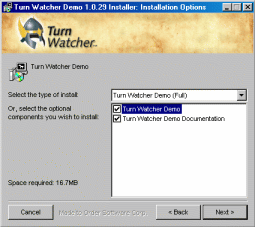 The second page asks you what elements of Turn Watcher you want to install. By default, Turn Watcher and its documentation are automatically selected. For instance, if you only want to install Turn Watcher, uncheck the documentation; this way you might save some space on your hard disk. Please note, however, if you choose not to install the online documentation, you will not have access to it via the Help menu in Turn Watcher. Once you are satisfied with your choice, click on Next to go to the last step.
Once the installation is finished, the dialog shows a Close button at the bottom right. Click on it to terminate the installation program.
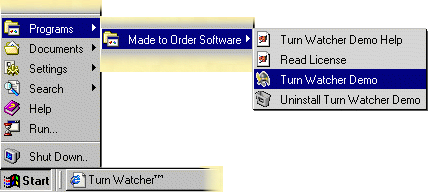
You are ready to run Turn Watcher! Go to your Start menu and start Turn Watcher, and enjoy!
 RSS feed